A teammate, not another inbox
Looper takes work off your plate instead of just answering questions. It works alongside your staff, handles routine work on its own, and remembers what your agency teaches it.
Measured on real work
We test leading AI models on real home care back-office work in Careswitch, check every result against the agency’s own records, and choose the model behind each part of Looper from what we measure. The scores and costs are public.
- Office tasks
- 101
- Settings tested
- 7
- Best score
- 85%
Hand a task to Looper
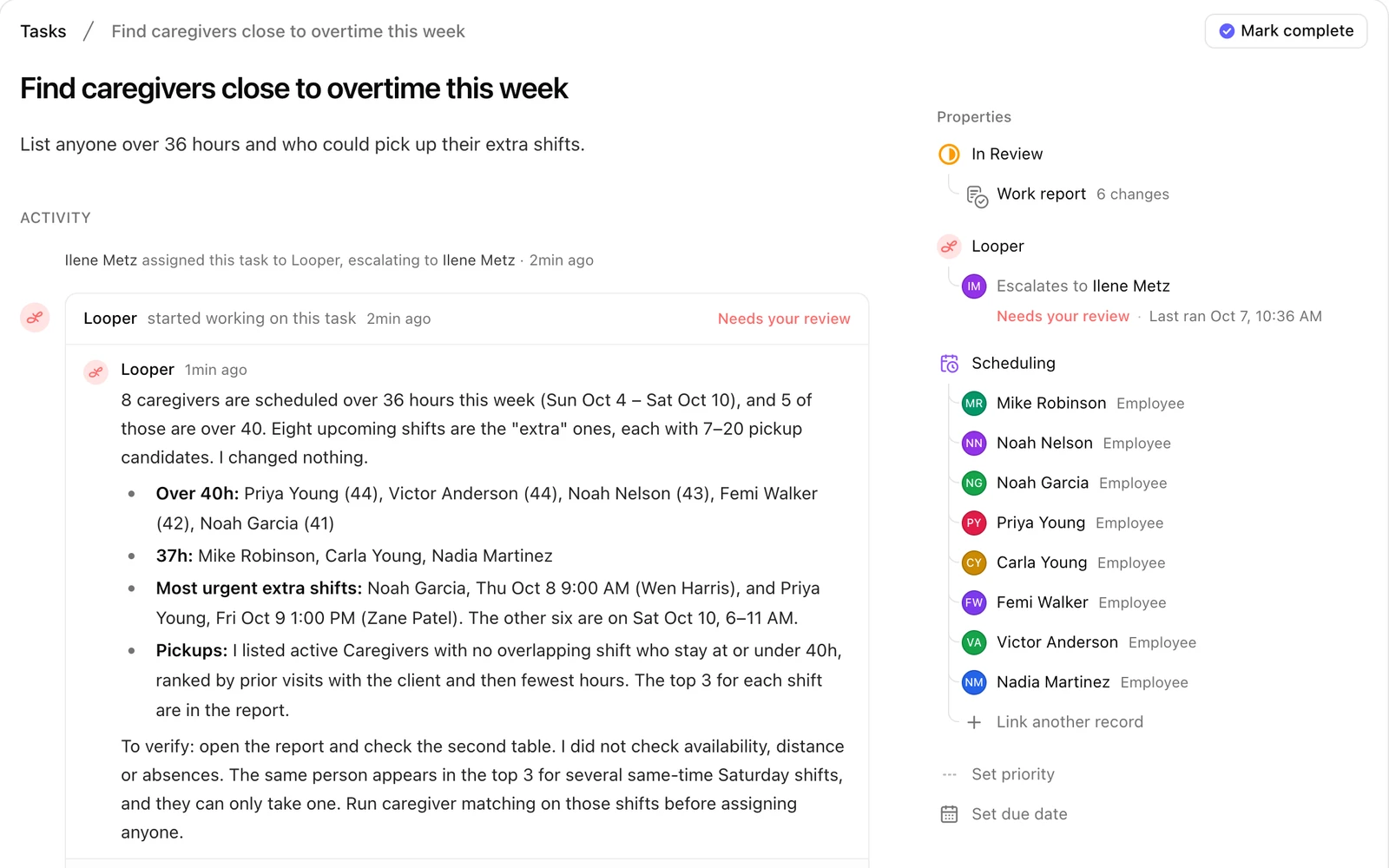
Tasks are one to-do list for the whole office, filed under areas like Billing or Scheduling. Pick Looper as the owner and it starts right away: it looks things up, checks the numbers and links the people involved.
Assign it like you would a coworker
Type what needs doing, choose Looper, and keep working. Mention @Looper in any task comment to ask it a quick question.
When Looper is done, you have the final say
Looper moves the task to In Review and tells you what it found. Nothing is finished until a person approves it.
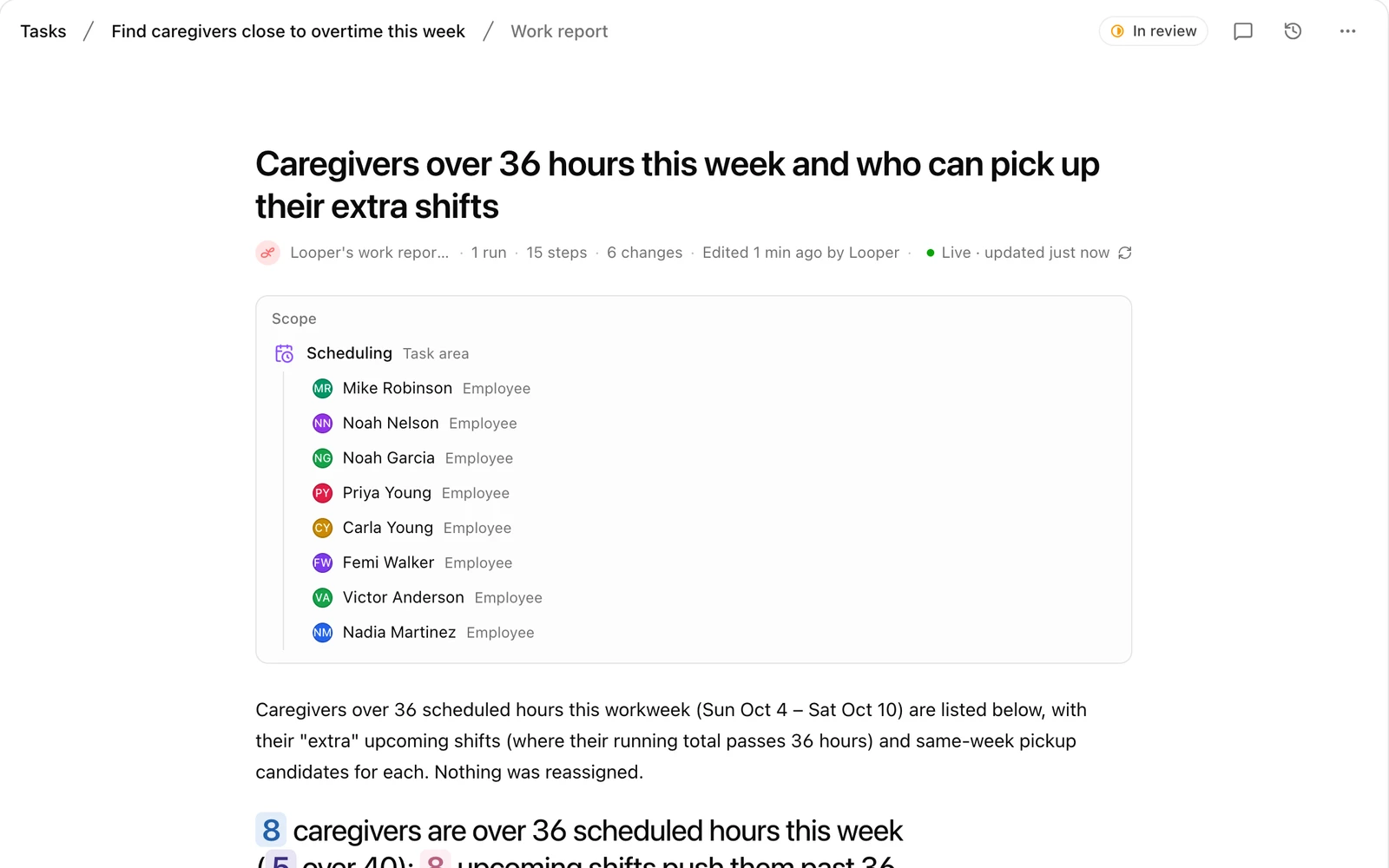
Every task comes with a report
The work report reads like a short memo of exactly what Looper did, and you can edit it like any document.
Work that runs on its own
Loops do routine work on a schedule, like every Monday morning, or when something happens, like a new client or a late clock-in. Describe one in your own words and Looper sets it up.
Describe it in a sentence
“Every Friday at 4 PM, check for unsigned timesheets.” Looper picks when it runs and writes the task. Check what it set up, then create the loop.
Change a loop by asking
Tell Looper what to change, like “every other Friday” or “only for denied claims”. Nothing changes until you save, and Undo is one click away.
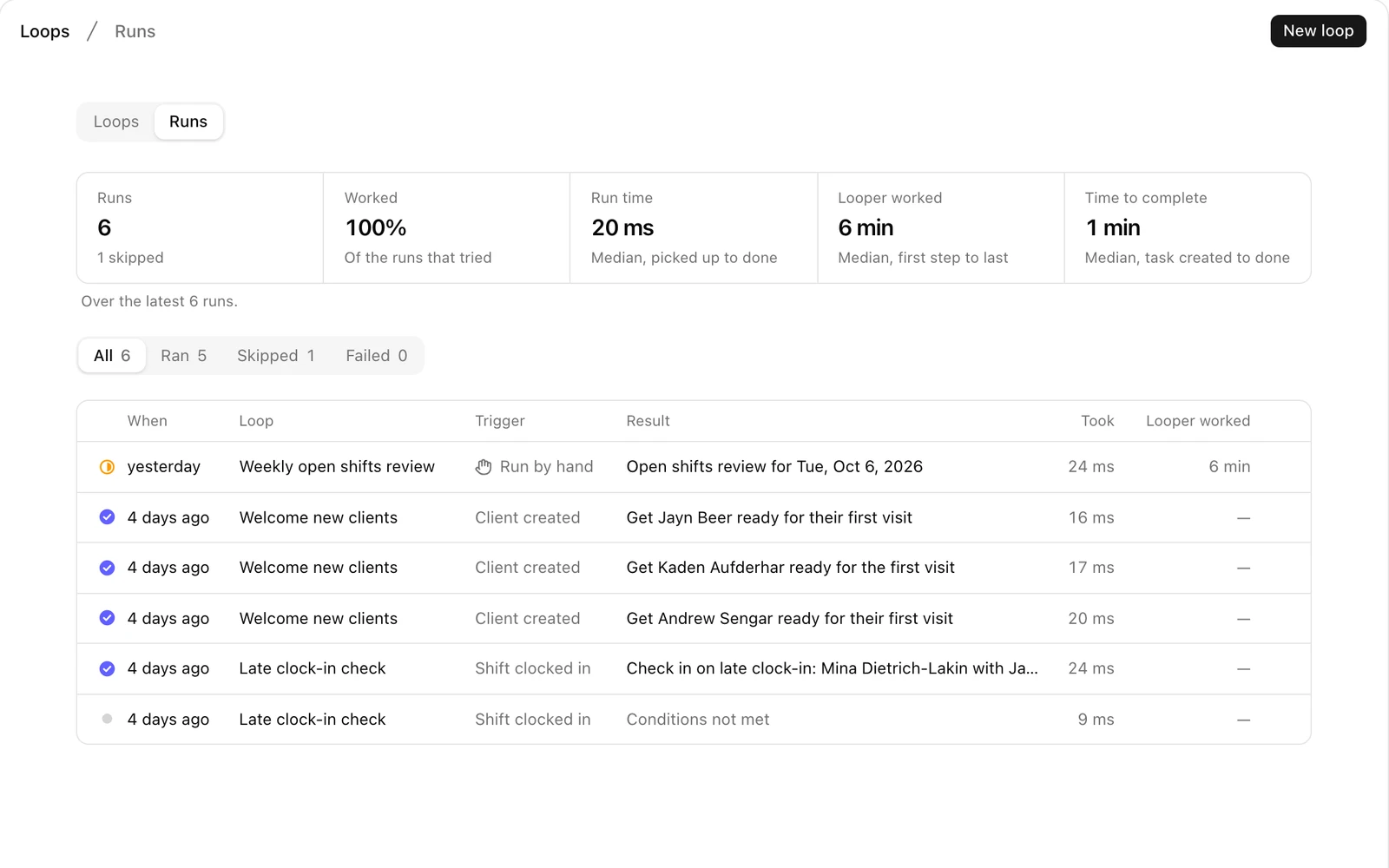
See what every loop has done
Runs shows that your loops are working: what set each one off and what it made.
Call-outs, covered
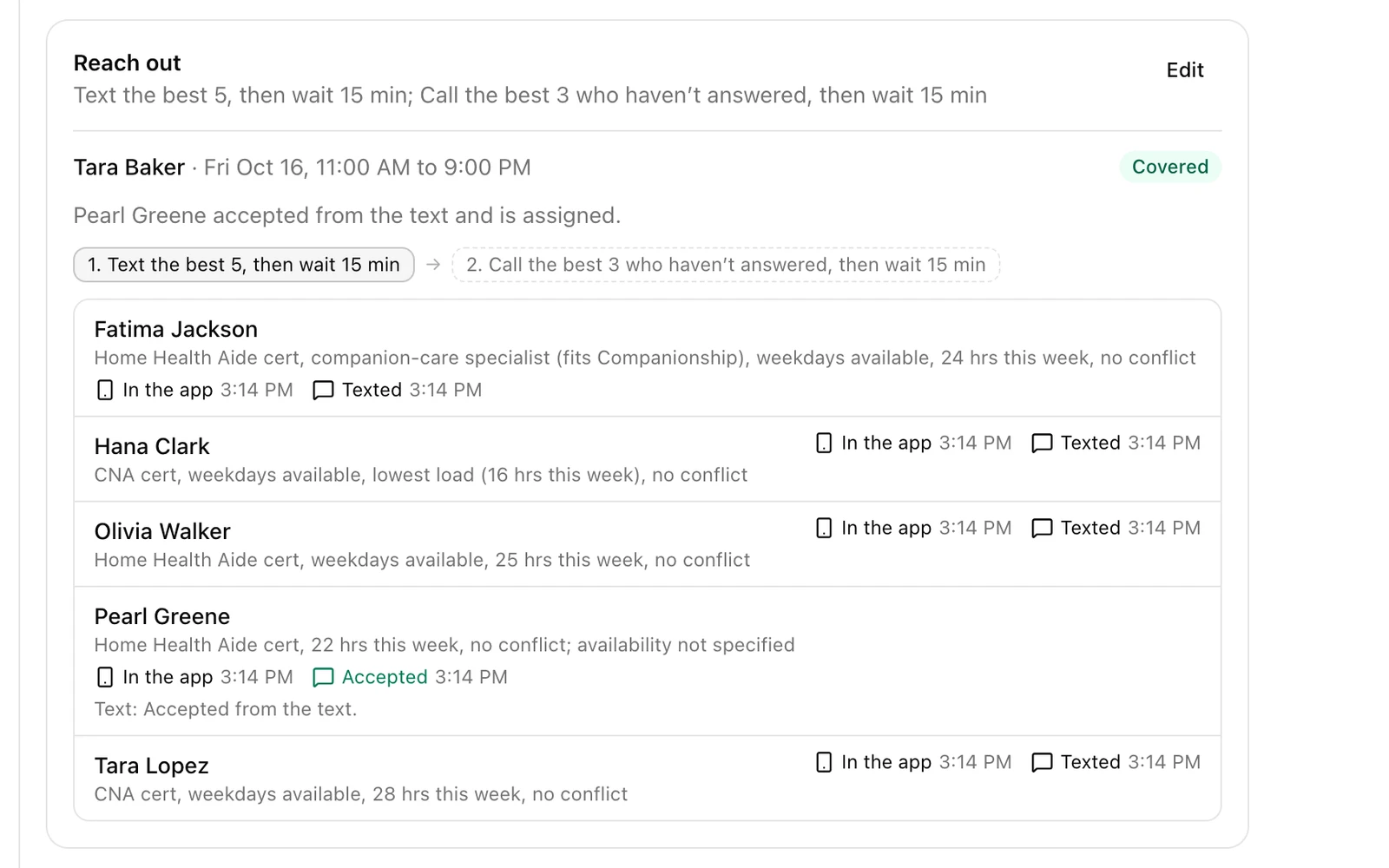
One loop most agencies start with: when a caregiver calls out, Looper offers the visit to the people who can take it, in the app, by text or with a phone call. The first to say yes gets it, and you step in only if nobody does.
From call-out to covered
A caregiver calls out from their phone. Looper texts the best matches, one accepts from the text, and the task comes back with the visit covered.
Follow every offer as it goes out
Each call-out gets its own task, showing who Looper picked and why, how it reached them and what they said.
Write together, with Looper
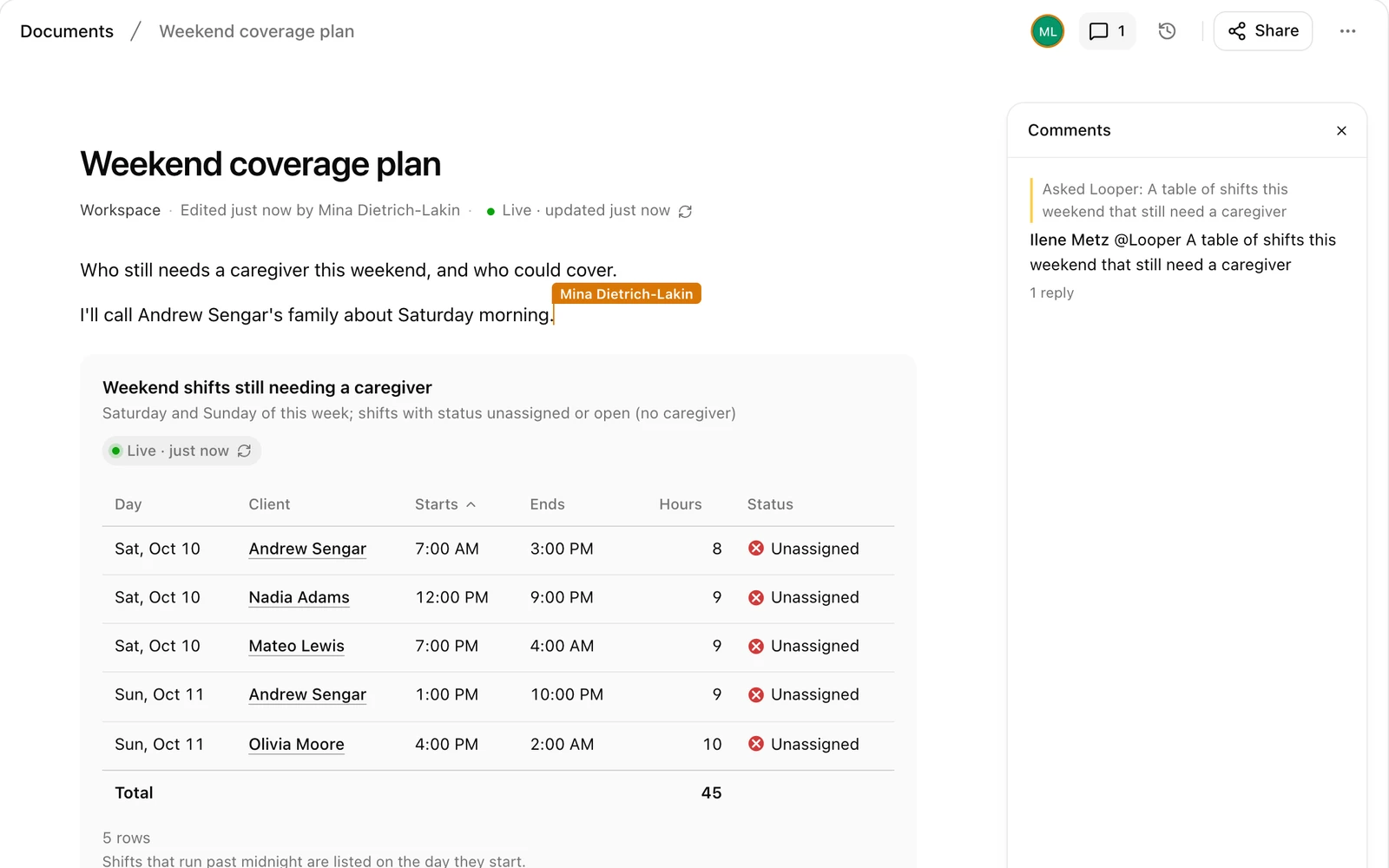
Documents are for plans, policies, meeting notes and reports. Your team can work in the same document at the same time, and Looper can write in it with you.
Ask for what you need, right on the page
Type / and choose Ask Looper: “a table of shifts this weekend that still need a caregiver”. The table it adds keeps itself up to date.
Everyone on the same page, live
A coordinator adds a note while the table Looper made stays current.
Forms and signatures, without the paper chase
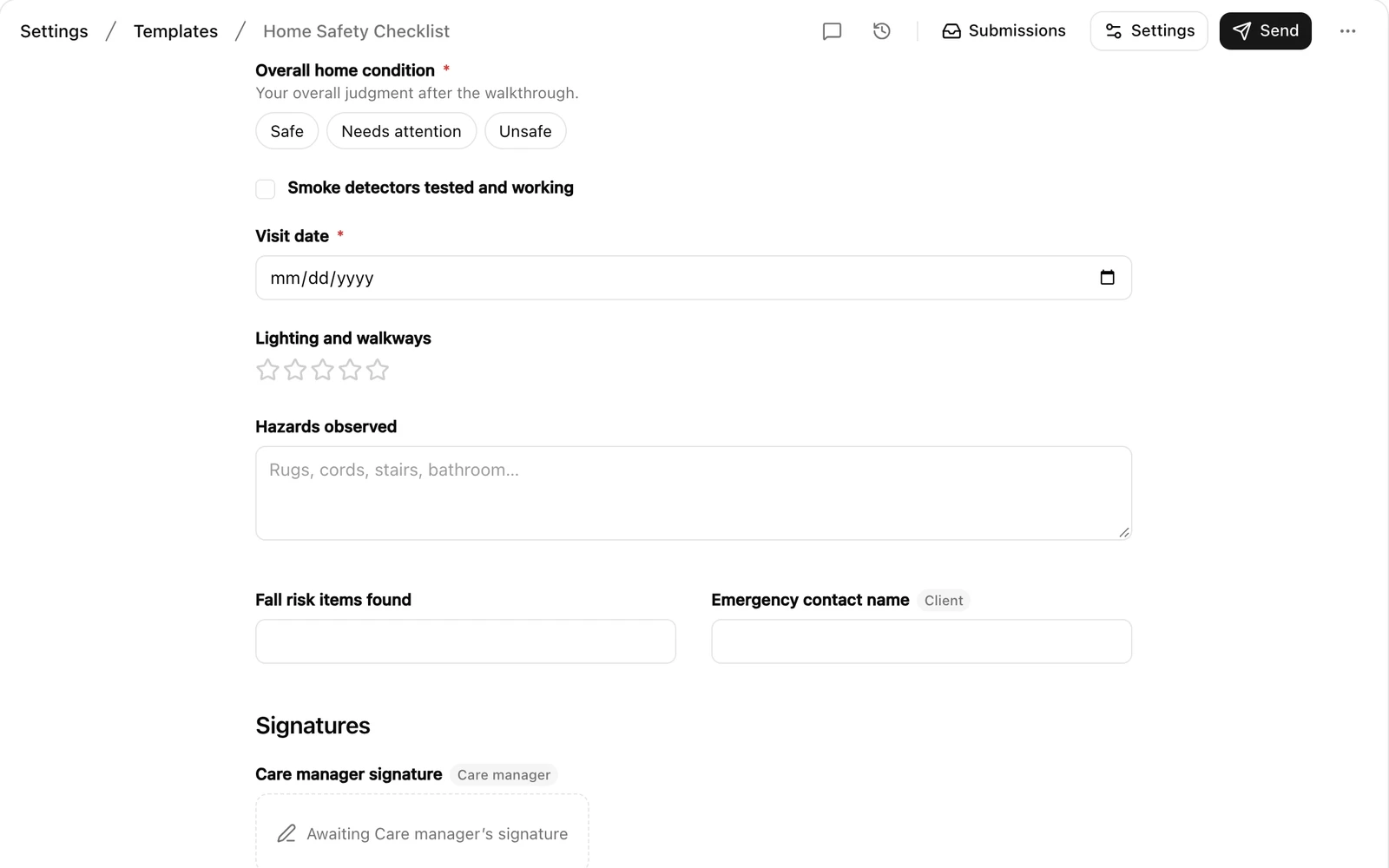
Build a form once, like a home safety checklist or a yearly attestation, and start a copy on any client or caregiver. Intake, Assessment and Care Plan are templates too.
Build a form once, use it everywhere
Add questions and signature lines, or ask Looper to draft the form from a sentence.
Fill in and sign anywhere
Forms sent to you wait under To fill. Caregivers sign on their phones, and people outside your agency, like a client’s family member, get a secure link.
Ask Looper anything
Ask a question about your agency in everyday words and Looper answers with the real numbers, in tables and charts. There is one Looper everywhere, so what it learns here it also knows in Tasks and Documents.
Questions in, answers out
Try “Which clients have no caregiver scheduled next week?” Looper only sees what you are allowed to see in Careswitch.
Reports that stay up to date
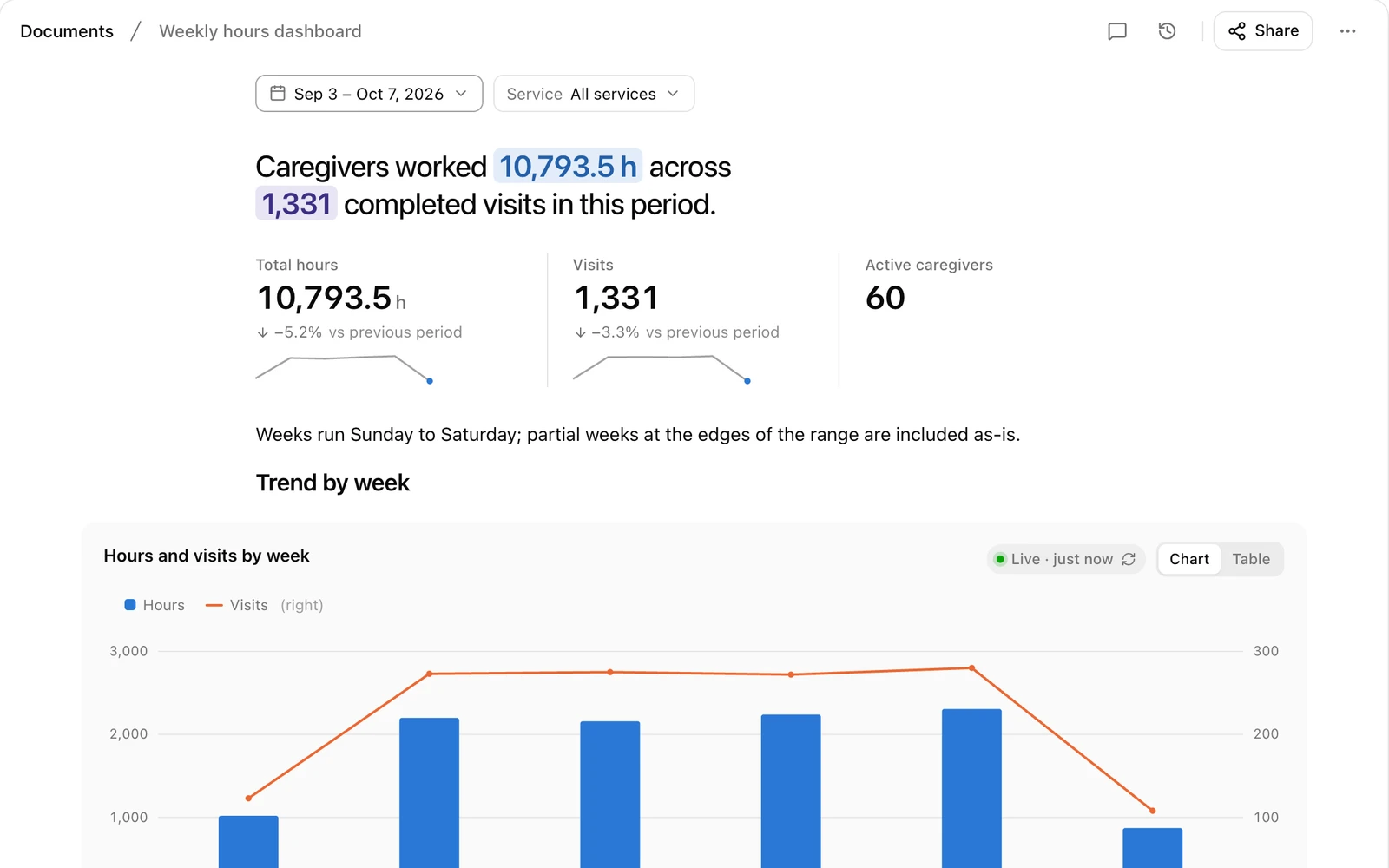
Ask for a report or dashboard and Looper builds one as a document. It shows today’s numbers every time you open it.
You stay in charge
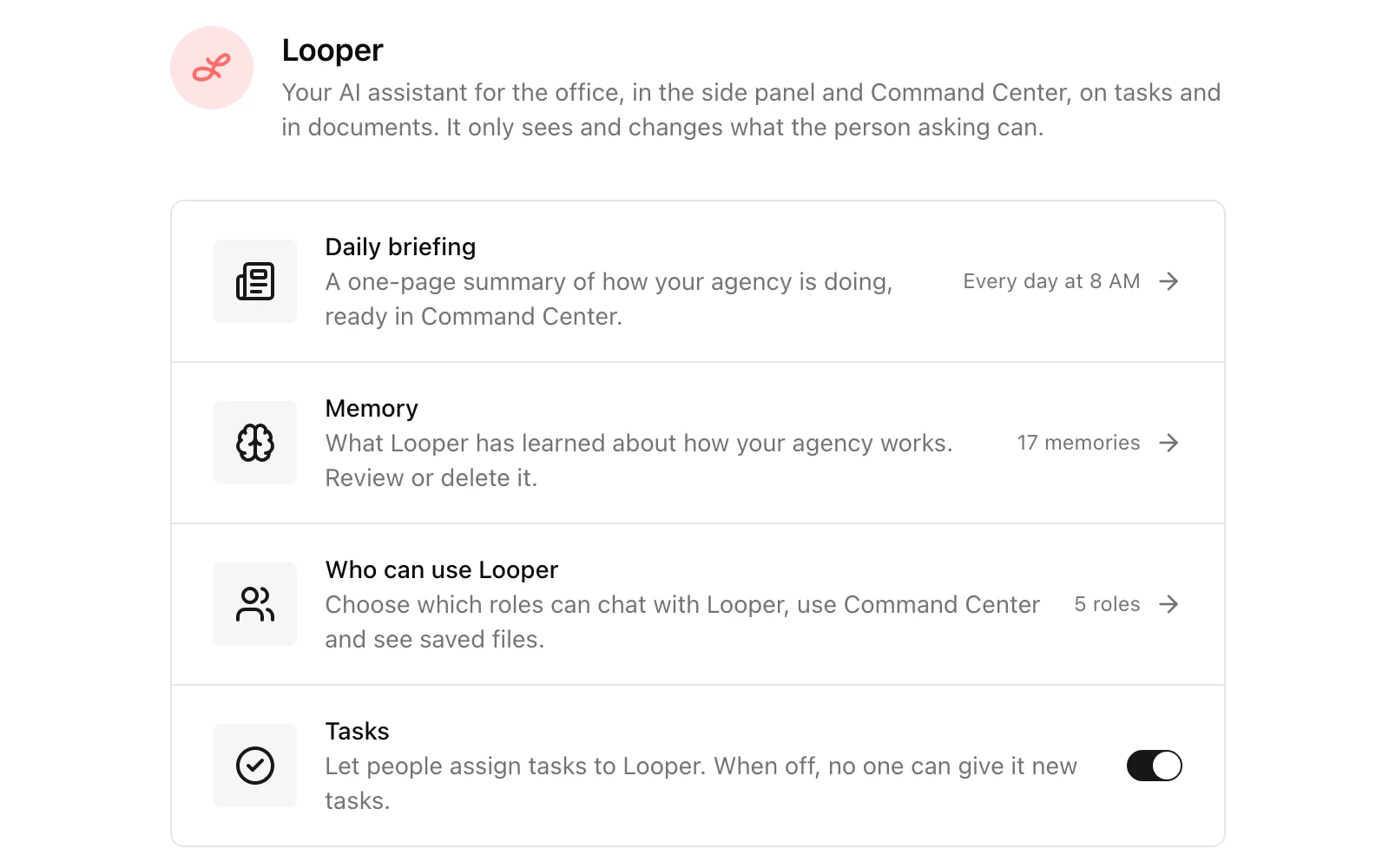
Looper is a teammate with clear limits, set by your agency.
- It works as the person who asked
- Looper only sees and changes what that person is allowed to in Careswitch, never more.
- A person approves every task
- Work Looper finishes waits In Review until someone checks it and marks it complete.
- It shows its work
- Every task comes with a work report: what Looper looked up, what it changed, and what to double-check.
- You can read what it remembers
- Looper learns how your agency works. Admins can read that memory and delete anything wrong.
- Admins decide who uses it
- Choose which roles can ask Looper, use Command Center or hand it tasks, or turn hand-offs off entirely.